


Gear up for a remarkable 2024 with Algorithmics! Take advantage of exclusive scholarships and events in December. Don't miss out on the biggest discounts and scholarships of the year! Let's explore what's new!
Get ready for an impressive 2024 by honing advanced programming skills with Algorithmics today! To kickstart a breakthrough year, Algorithmics introduces special offers for the following courses. Parents, seize the opportunity for year-end scholarships.
Detail:
Conditions:
Quickly register to explore the world of programming and prepare for a successful 2024!
Algorithmics brings exciting offers for parents registering for courses that have already started in December!
This program allows parents to enjoy discounts based on the number of sessions started, optimizing the benefits for registering their children.
In addition, Algorithmics has a special discount program for parents registering for their children:
Instant 5% off tuition fees: Applied when parents register for their child and meet one of the following conditions:
This program provides favorable conditions for families with multiple children or those aiming to maintain continuity in their child's programming education.
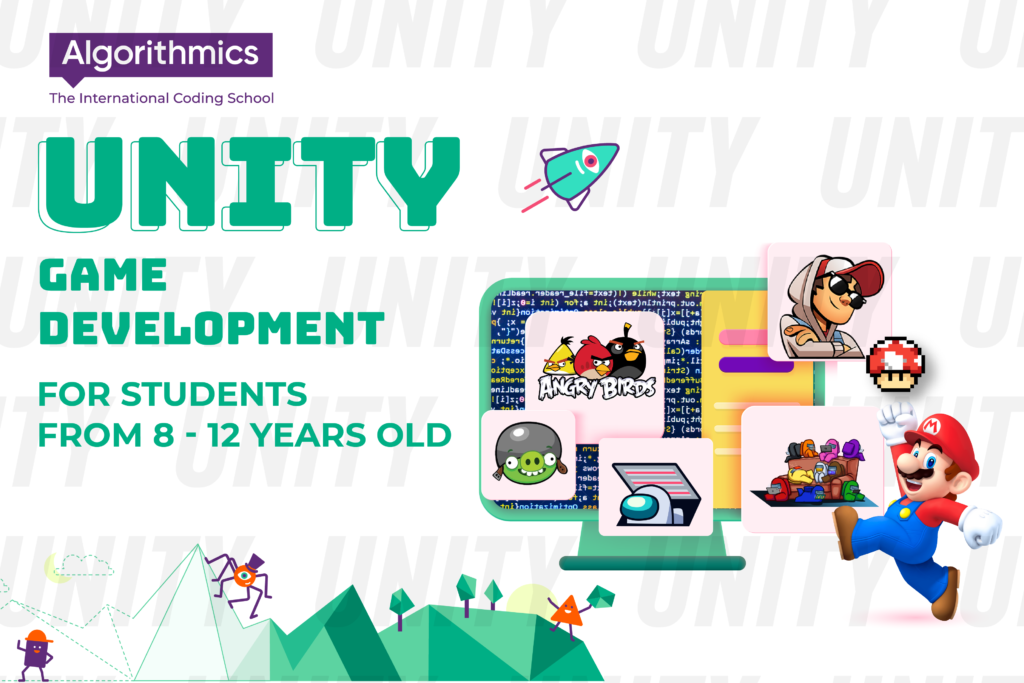
Explore the Unity Game Development course for kids at Algorithmics - the key to unlocking unlimited creativity in 2D and 3D game development. The course provides a knowledge foundation in Unity and develops the necessary skills to become a Game Developer!
Unity is a powerful cross-platform game and application development platform designed to create diverse interactive experiences on various devices. Launched in 2005, Unity has become one of the most popular game development tools in the gaming industry and is the chosen game design platform for developers worldwide.

Game development course for kids Unity Game Development
With Unity, developers can create 2D and 3D games, mobile apps, virtual reality experiences, augmented reality (AR), and various interactive applications. Unity offers a flexible working environment with a user-friendly graphical interface, enabling users to perform complex tasks such as programming, graphic design, and resource management with ease.
The diversity and flexibility of Unity make it a preferred tool not only in the gaming industry but also in the development of virtual reality and mobile applications. Its cross-platform support helps reduce the burden for developers wanting to deploy their products on multiple platforms without rewriting the source code. This makes Unity a crucial tool contributing to the diversity and richness of the gaming and application development industry today.
Currently, Unity is not only a platform for adults to learn and work but also for children to learn and use for professional game design. Unity Game Development at Algorithmics is a professional game design course for children aged 12-17.
In the Unity Game Development course, children will learn to use the high-level programming language C#. This language is widely applicable across architecture, animation, film, mobile games, PC, and consoles. In this course, children will learn to build their own imaginative worlds in both 2D and 3D formats. Additionally, the course helps children master the process of creating and publishing applications on the Android platform.
Game development course for kids Unity Game Development
Duration: 32 sessions / 8 months
Time: 120 minutes per session per week
Class Size: Under 12 students
Developing Basic Skills with Module 1 - Unity Basics:
Learn how to use Unity and familiarize yourself with basic game components.
Understand project structure and work with objects and prefabs.
Create a prototype for game levels.
Building an Amazing 3D World with Module 2 - 3D Level Design:
Customize terrain, grass, and scenery to create a realistic 3D world.
Understand the principles of lighting and work with particle systems and sound effects.
Create a suitable atmosphere for your game levels using Unity tools.

Game development course for kids Unity Game Development
Game Programming with C# in Module 3:
Master the syntax of the C# programming language.
Create scripts in C# to build mechanics and interfaces for games.
Understand variables and data types, as well as conditions and loops.
Creating Dynamic Effects with Module 4 - Animation of an Object:
Learn how to add dynamic effects to objects and players.
Set up character controllers and combine them with motion effects.
Dive into 2D Games and Mobile Platforms with Module 5:
Understand the differences between 2D and 3D games.
Work with 2D animations and understand basic physics in 2D games.
Create projects for the Android mobile platform.
Creating a 3D Racing Game with Module 6:
Understand the specific features of racing games.
Program basic logic for a racing game.
Create a promotional video for your game in GIF format.

Game development course for kids Unity Game Development
Creating a 2D Role-Playing Game with Module 7:
Understand the features of the role-playing game (RPG) genre.
Program the game cycle of a complete 2D role-playing game.
After completing the Unity Game Development course at Algorithmics, your child has accumulated the necessary skills and knowledge to start a career in game development. Here are the strengths your child has gained:
Solid Foundation in Unity:
Your child has mastered and understands the Unity platform, an essential tool in the game development industry.
Knowledge of C# Programming:
Your child has successfully learned and applied the C# programming language in game development, especially in writing scripts to create mechanics and interfaces.
Developing 2D Games for Android:
Your child has mastered the process of developing 2D games and publishing them for the Android mobile platform, demonstrating the ability to work on real platforms.
Designing and Creating 3D Games:
Your child has experience designing and developing both 3D racing games and 3D role-playing games, especially in working with landscapes, lighting, visual effects, and sound.
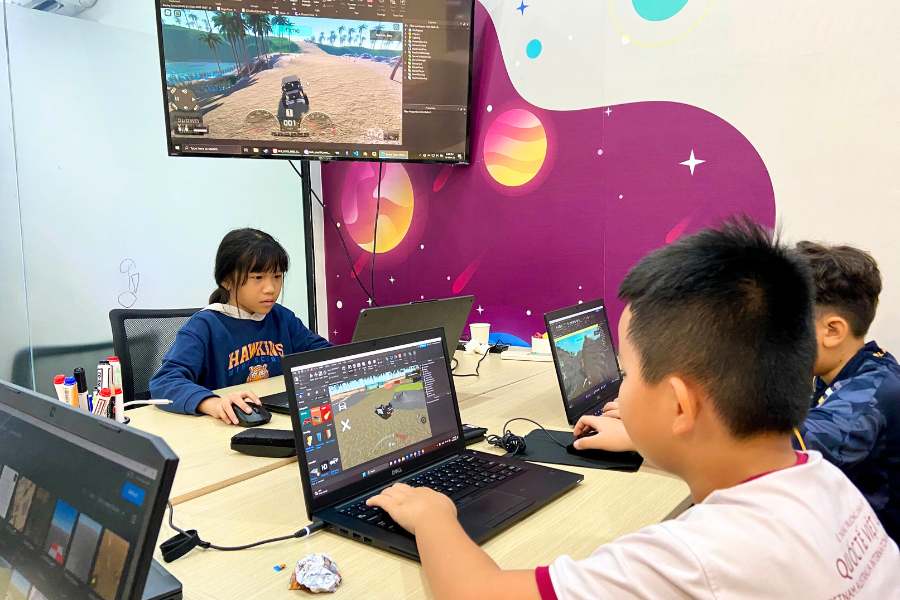
Game development course for kids Unity Game Development
These skills and knowledge create a solid foundation for your child to start a career as a Game Developer. To become a professional game developer, your child should continue learning and practicing, participate in real projects to build a portfolio, and expand their skills further. Additionally, after completing the course, your child will have the skills to stay updated on new trends and advanced technologies in the industry.
Today, children's learning experiences are no longer boring and dry as they used to be. Unlike in the past, where children focused solely on theoretical learning and exercises, learning in the classroom has become dynamic and engaging, with a higher degree of practical application. Learning coding at Algorithmics is no exception! Joining the coding course for children at Algorithmics, kids not only learn computer coding skills but also engage in various fun and interactive learning activities. Let's explore more about Algorithmics in the following article!
At Algorithmics, coding courses for children are personalized for each age group, learning purpose, and the child's ability to absorb knowledge. Children aged 5.5 to 17 can participate in coding courses at Algo. Algorithmics opens up a complete coding learning journey for children, starting from basic knowledge to becoming professional programmers.

coding course at Algorithmics
Coding Knight (5.5 - 7 years old):
Introduction to programming and basic soft skills.
Learning to use computers and programming concepts.
Digital Literacy (7 - 9 years old):
Explore the internet and social networks.
Apply computer science and use the internet safely.
Visual Programming (9 - 12 years old):
Introduction to block-based programming languages.
Apply knowledge to create interesting game projects.
Game Development (9 - 15 years old):
Designing 2D, 3D games to realize dreams.
An important step toward becoming future game developers.

coding course at Algorithmics
Unity Game Development (9 - 15 years old):
Guide children to become professional 2D, 3D game developers.
Website Development (10 - 15 years old):
Work with source code and design UX, UI.
Complete a full-fledged website.
Python (11 - 17 years old):
Introduction to Python and the world of deep programming.
Develop the necessary skills to become a top-notch programmer in the 5.0 era.
The curriculum at Algorithmics is not just a pure learning material like other centers. The learning curriculum at Algo is developed by a team of child psychology experts and top-notch educators. The focus of the learning process at Algo is an understanding of the needs and learning abilities of children. Therefore, the curriculum is designed flexibly to meet the diversity in the learning process. With unique storylines such as rescuing a princess in Coding Knight or organizing a party for friends in Digital Literacy, the curricula of coding courses for children at Algorithmics apply the "gamification" principle, creating an inspiring learning environment that stimulates passion and curiosity in the learning process.
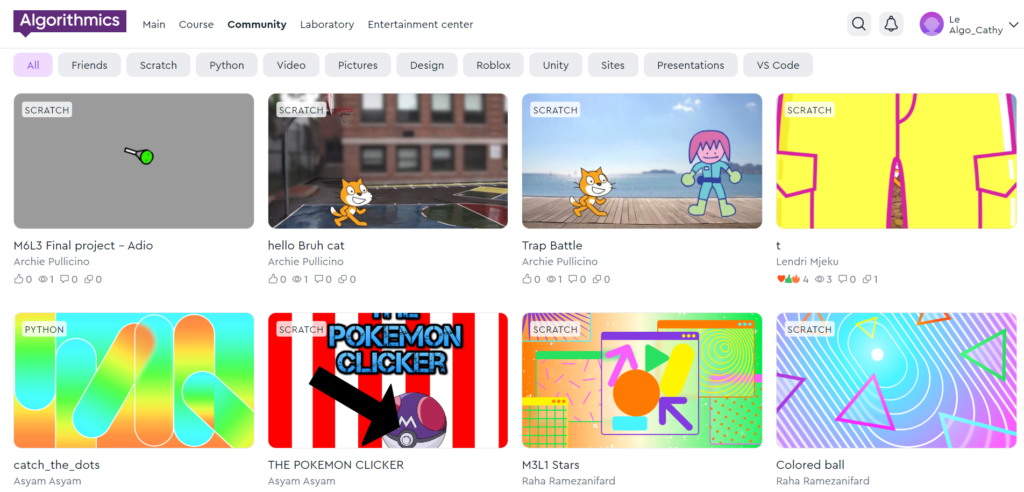
coding course at Algorithmics
Furthermore, Algorithmics continually improves its curriculum based on the learning results of children, conducting assessments and adjustments every 6 months to 1 year.
The teaching staff and assistants at Algorithmics are not only experts in coding but also meticulously trained in teaching methods. This ensures that children will learn from leaders in the technology field in an understandable and easy-to-absorb manner.
Not stopping at ensuring the quality of teaching, Algorithmics also cares about the development of each student. The learning outcomes of children are carefully evaluated and commented on by teachers after each module. This information is sent to parents, making it easy for parents to track progress, understand strengths, and support their child's development.
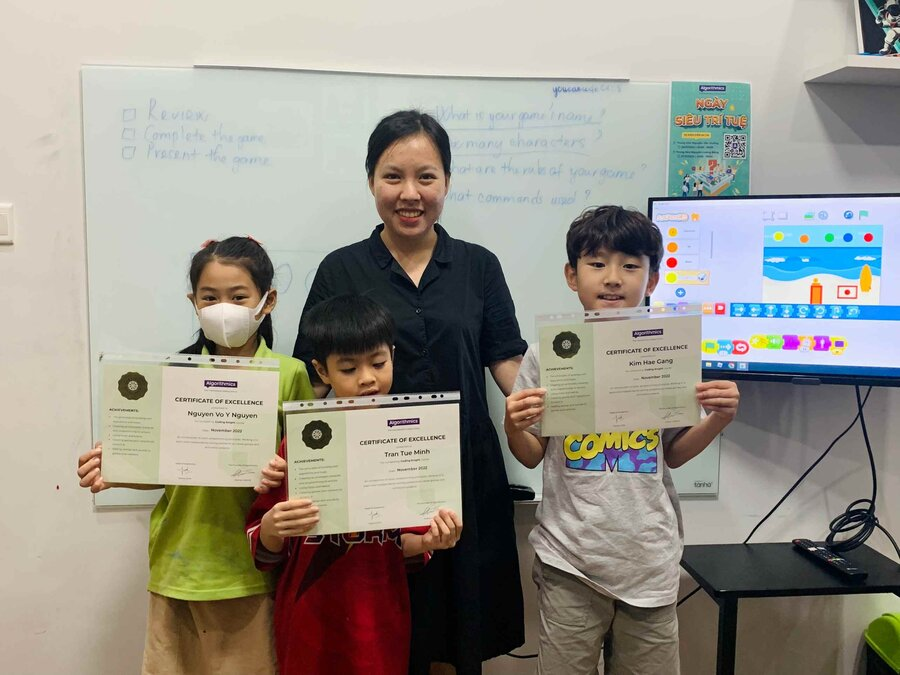
coding course at Algorithmics
In a small, low-enrollment environment, each student is cared for, attentively, and meticulously. This allows teachers to understand the needs and abilities of each student better. Positive interaction in a small class creates conditions for each student to discuss and share ideas, encouraging creativity. Teachers can focus on monitoring progress and provide detailed feedback to help students develop more robustly. Moreover, a small class size reduces the pressure of learning and provides favorable conditions for testing ideas and developing individual projects. Small classes at Algorithmics are not only a place for learning but also an environment that nurtures creativity and personal development for each student.
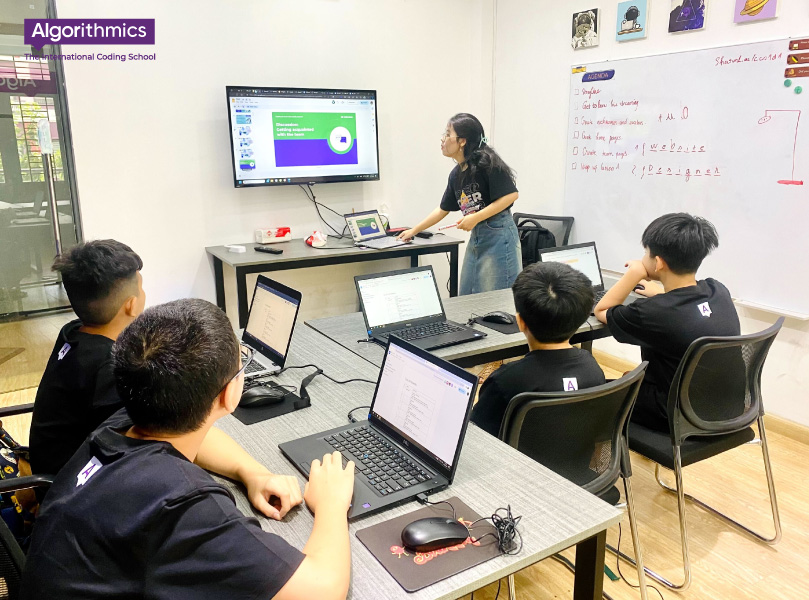
coding course at Algorithmics
Algorithmics is committed to creating an open and transparent learning environment. That's why Algo regularly organizes Parents Sessions in coding courses for children. In these sessions, children have the opportunity to showcase themselves by presenting. They will present individual projects to parents, friends, and teachers about project work, coding, and project ideas.
The goal of Parents Session is not only to change parents' perspectives on their child's learning process but also to help parents understand more about what their child is learning, how they approach and solve problems, as well as the skills their child is developing. This creates positive interaction between students, parents, and the teaching staff, creating a positive learning and comprehensive development environment for students.
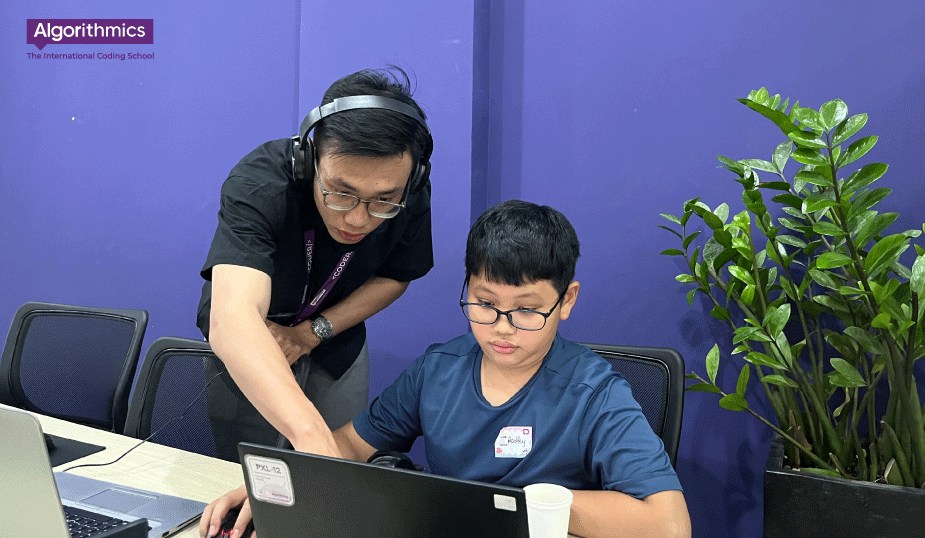
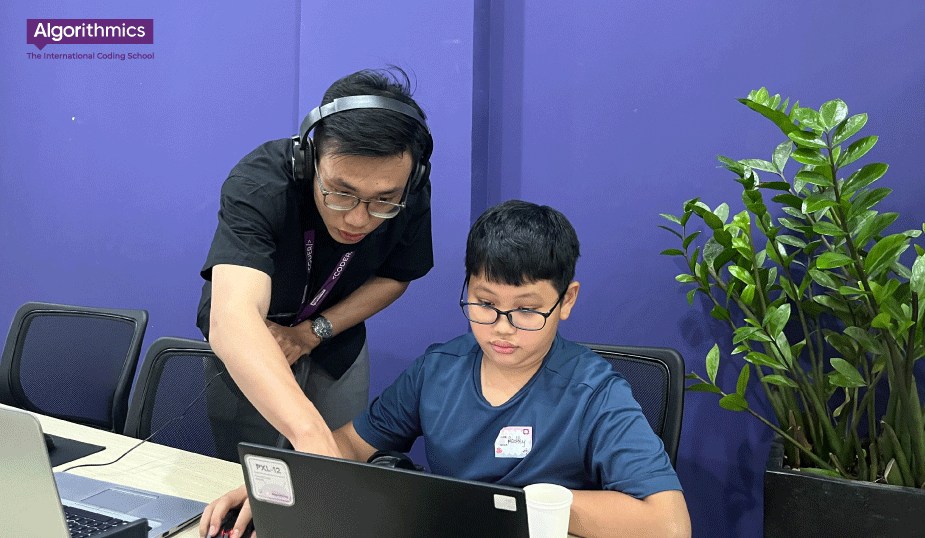
Algorithmics always cares about and closely monitors the learning process of each student, including special situations such as when a child has to request a day off. To ensure that the child does not miss important content when absent, we organize catchup tutorial sessions.
In these catchup sessions, students will be supported and guided in detail on the content that has been taught in class during their absence. The teaching staff will work with the students, answer any questions, and ensure that the student has enough knowledge to continue their learning journey without falling behind.
coding course at Algorithmics
At Algorithmics, we not only provide high-quality coding courses but also create an interesting and lively environment for children's development. We regularly organize diverse events and fun activities, helping children expand their relationships and learn from various sources.
These events are not only an opportunity for children to make friends with many new people but also a chance for them to explore new and interesting things in the field of technology and coding. We believe that learning not only happens in the classroom but also through real experiences and social interactions.

coding course at Algorithmics
We consider events not only as an entertaining playground but also as a valuable opportunity for children to learn more about various professions and the vast world around them. This is how we create a positive and exploratory learning environment for every student.
coding course at Algorithmics
Python is a popular coding language used in various fields, especially in the era of technology and artificial intelligence. Python can be considered as a representative language for automation and digitization. Joining a Python Coding Course for children from an early age will provide a solid foundation for the future of children. At the same time, children will develop logical thinking, problem-solving skills, and essential skills for the future.
Python was developed by Guido van Rossum in 1991 and was named after Monty Python's Flying Circus, a famous British comedy show.
As a high-level, object-oriented coding language designed to be readable, easy to learn, and easy to use, Python proves to be versatile when used in various fields such as academia, industry, business management, automation, and more.

Python Coding Course for children
Despite its widespread use and far-reaching vision, Python is relatively easy to learn, and even children can get started with it. With simple and understandable syntax, coupled with high applicability, Python is often chosen for children to develop passion and expand career opportunities.
Python is a versatile coding language that can be used in various fields, including:
Computer Science: Python is used to teach computer science subjects such as coding, data structures, algorithms, etc. It is also used to develop software for computer science, such as data analysis tools and machine learning models.
Data Science: Python is used for data collection, processing, and analysis. It is also used to build machine learning models, including prediction models and classification models.

Python Coding Course for children
Statistics: Python is used to perform statistical calculations, such as calculating mean, variance, regression, etc. It is also used to build statistical models, such as distribution models and regression models.
Industry
Web Development: Python is used to develop various web applications, including static websites, dynamic websites, and web applications based on APIs. Python is also used to develop web frameworks such as Django and Flask.
Mobile App Development: Python is used to develop mobile applications for iOS and Android platforms. It is also used to develop mobile app frameworks like Kivy and PyQt.
Game Development: Python is used to develop 2D and 3D electronic games. It is also used to develop game frameworks such as Pygame and Panda3D.

Python Coding Course for children
Backend Programming: Python is used to develop backend software for websites, mobile applications, etc. Python is also used to develop backend frameworks such as Django and Flask.
Frontend Programming: Python is used to develop frontend software for websites and mobile applications. Python is also used to develop frontend frameworks such as Django and Flask.
Python is a popular coding language increasingly used in various fields, including:
AI and Machine Learning: Python is used to develop AI and machine learning models, such as prediction models and classification models.
Python Coding Course for children
Artificial Intelligence: Python is used to develop artificial intelligence applications, such as autonomous robots and recognition systems.
System Programming: Python is used to develop software systems, such as operating systems and embedded software.
Automation: Python is used to build automation systems, such as industrial robots and control systems.
Natural Science: Python is used to process natural science data, such as biological data and meteorological data.
Engineering: Python is used to develop engineering applications, such as CAD/CAM applications and simulation applications.
Social Science: Python is used to analyze social science data, such as economic data and population data.
Algorithmics is an International Coding School for children aged 5.5 to 17. In addition to basic coding courses, Algorithmics offers specialized courses like Python for children. The Python course is designed for students aged 11-17. The course aims to provide knowledge and basic skills in the Python coding language, as well as an understanding of the practical applications of Python in daily life and work. Additionally, children will experience a simulated working environment by playing the roles of job applicants in interviews, becoming interns, and ultimately becoming advanced coders.
Python Coding Course for children
The Python coding course at Algorithmics is divided into two smaller courses: Python Start and Python Pro.
Course for students aged 11-14
72 Sessions / 18 Months / Course
90 Minutes / Session / Week
Class Size: <12 students
The Python Start course consists of 12 modules, each providing students with specific knowledge and skills in Python.
Module 1: Basic concepts of coding languages
Module 2: Statement structure, control statements.
Module 3: Functions and modules in coding
Module 4: Turtle Module and mathematics for coders
Module 5: Object-oriented coding (OOP)
Module 6: Game development with PyGame
Module 7: Important data structures
Module 8: Developing Windows applications (PyQt5)
Module 9: Working with files
Module 10: Automated image editing
Module 11: Upgrading games with PyGame
Module 12: Publishing and distributing software

Python Coding Course for children
Understanding the basic principles of Python
Effectively using control structures to manage program flow
Writing and using functions, statements, and modules
Drawing graphics with the Turtle Module
Object-oriented coding
Developing 2D games
Understanding data structures
Developing PC applications
Working with JSON files
Learning how to automatically process images with Python
Upgrading games with PyGame
Course for students aged 14-17
76 Sessions / 19 Months / Course
90 Minutes / Session / Week
Class Size: <12 students
Similar to Python Start, Python Pro consists of 12 modules. The following is the curriculum for Python Pro:
Module 1 - Data types: Introduction to Python, understanding basic concepts. Applying syntax rules, standard formatting through real-world experiences.
Module 2 - Algorithms: Building a solid foundation on basic algorithm concepts and syntax. Learning how to read flowcharts, identify algorithm structures, apply logic data types when coding logical expressions.
Module 3 - Code organization methods: Learning about functions and modules in Python. Using built-in modules and learning how to create them.
Module 4 - Data structures: Further study of Lists, Tuples, Dictionaries, and Sets.
Module 5 - Object-oriented coding: Learning about object-oriented coding (OOP) and its key concepts.
Module 6 - 2D Games: Learning about developing games with PyGame through the development of a 2D game.
Module 7 - Computer Applications: Exploring the main components of Windows applications and how applications are designed. Learning how to use the PyQt library in Python to create cross-platform PC applications with graphical interfaces, handle requests from clients to servers, and work with databases.
Module 8 - Mobile Applications: Applying theory to real-world projects to create MVP applications using the Kivy library.
Module 9 - Data Analysis: Exploring Big Data and learning basic knowledge of data analysis and data visualization.
Module 10 - Basics of Machine Learning: In-depth study of machine learning algorithms, focusing on classification using the KNN method. Learning about strategies and tactics for training a model as well as working on a personal project.
Module 11 - 3D Games: Creating 2D games using the Pygame module. Applying game development skills to create 3D games.
Module 12 - Web Development: Learning HTML and CSS programming basics as well as how to link them using Python.
Python Coding Course for children

Effectively using all applications of Python in coding:
▷ Data Scientist
▷ Website & Web App Coding. Mastery of HTML & CSS languages
▷ Coding games: 2D, 3D on computers and mobiles. Using PyGame library proficiently
▷ Graphic Design: UX/UI
▷ Machine learning: Artificial Intelligence (AI)
Using Flask, SQLite, Pandas, Sklearn & Kivy libraries
Applying Agile & Scrum principles
Developing applications for PC with PyQt
Python Coding Course for children
The Roblox game coding course for kids at Algorithmics is the suitable choice for young enthusiasts who love games and aspire to become game coders. The course provides students with the knowledge and skills needed to build 3D games on the Roblox platform.
Roblox is an online gaming platform and a game creation system that allows users to design and play games created by the community. This platform is developed by the Roblox Corporation and represents a phenomenon in the world of online gaming, symbolizing the 5.0 era.
Roblox game coding course for children
Roblox is not only popular among adults but also extremely well-received as an online gaming platform for children in the 5.0 era.
Roblox offers a diverse platform with a multitude of games created by the player community. Kids can enjoy various games such as racing, building, shooting, and more. Additionally, Roblox allows players to design and publish their own games, fostering creativity beyond just playing.
Beyond gaming and game design, Roblox has a large player community where kids can connect, socialize, learn from friends' game projects, and collaboratively develop large game projects. This interactive aspect contributes to creating a strong community.
With various tools in Roblox Studio, children can unleash their creativity and develop games without limitations. The platform consistently updates with new trends, stimulating creativity, curiosity, exploration, and learning.

Roblox game coding course for children
Roblox is not just a gaming and game design platform; it is also built as a social network. Players can make friends, follow each other, and chat. Roblox maintains community interest through exciting events and regular updates, providing new experiences and challenges.
Roblox is compatible with multiple platforms, including PC, tablets, and mobile phones, offering convenience for players. With these features, Roblox is not just a game but also a creative community and a powerful interactive platform.
In the age of technology, educating children is not only about controlling their screen time but also about leveraging the positive aspects and advantages of gaming. Nowadays, kids can not only play games but also design them! Game design allows children to have fun while developing skills and critical thinking.
Coding games help children develop coding skills from basic to advanced levels. Coding games for kids will help them understand how the games they often play are coded and provide a basic foundation for coding, laying the groundwork for their long-term career direction.

Roblox game coding course for children
Game coding encourages creativity and logical thinking in children. They have to think about game design, resource management, and problem-solving, contributing to developing creative thinking. Moreover, children can decide on the content, graphics, and how the game operates, fostering creative thinking.
Game coding helps children understand how technology works. They will learn about coding, data processing, and even work with modern technologies like chatbots and artificial intelligence tools.
Instead of aimlessly playing games, game coding can help children control their screen time. They will become more interested and conscious about using computers. In this way, it not only educates but also encourages children to develop essential skills in today's technological age.
Roblox game coding course for children
The Roblox Game Development course at Algorithmics is the suitable choice for young enthusiasts who love games and aspire to become game coders. The course provides students with the knowledge and skills needed to build 3D games on the Roblox platform.

MODULE 1: THE WORLD OF A CHILD
Learn how to interact with the Roblox Studio environment. Explore the basic tools of script coding language (Lua) through:
Creating a 3D game level
Developing the game world: creating landscapes, architectural structures, objects, lighting, treasures, and hidden obstacles
Completing platform exercises to reinforce new knowledge
MODULE 2: A WORLD FULL OF SURPRISES
Explore different genres of computer games and start:
Developing a mission or role-playing game (a 3D multi-level game with a surprising storyline)
Work on the platform: plan the game, complete exercises to reinforce new knowledge
MODULE 3: WE ARE DIFFERENT
Explore and design different player types in your game strategy, learn how to code the game to work in multiplayer mode.
MODULE 4: THE WORLD OF RACING
Create a racing game. Through this process, children will:
Apply geometric knowledge to design off-road vehicles
Learn how to add, test, and run code
Explore game simulation
MODULE 5: DEVELOPING TO NEW HEIGHTS
Explore requirements and develop games for mobile phones
Understand the features of the mobile version of the game
Create a mobile game interface
Customize code to develop cross-platform games

Roblox game coding course for children
After completing the Roblox Game Development course at Algorithmics, students will have:
In the dominating age of technology, keyboard typing is one of the essential skills. So why not let your child practice this skill at home with programming learning software designed for children to improve keyboard typing? Instead of letting your child play games, they can learn keyboard typing with these 5 typing software for children!
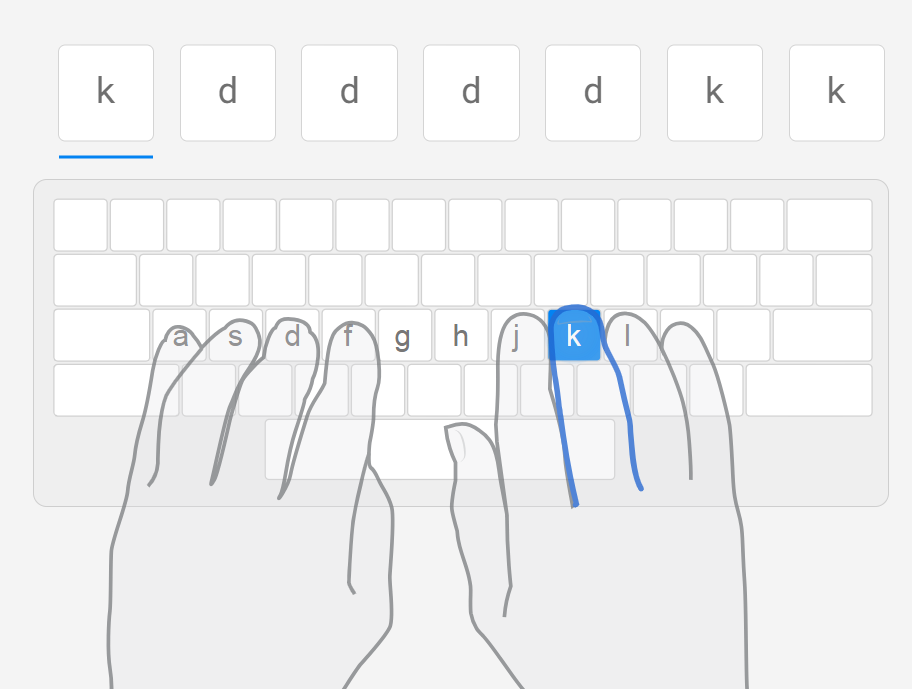
TypingClub is not just a regular typing training software. It is also a versatile educational tool, especially useful for introducing programming to children. Learning keyboard typing with TypingClub, a software specifically designed for children, helps them develop typing skills on a child-friendly platform. TypingClub has become an ideal destination for parents who want to combine education and entertainment for their children.
5 typing software for children
Multi-level learning: TypingClub provides lessons at various levels, suitable for beginners to advanced learners. It helps children progress from basic to advanced levels, fostering skill development.
Interaction and monitoring: This tool not only allows flexible interaction for children but also enables parents and teachers to monitor progress through tracking features.
Child-friendly interface: The friendly and engaging interface of TypingClub helps children not only learn but also experience an enjoyable learning process.
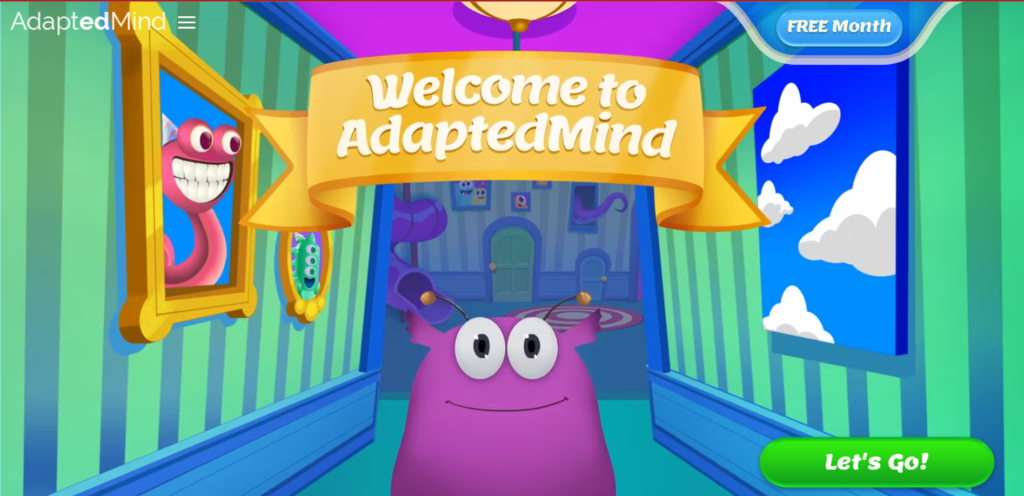
Dance Mat Typing, an educational product from the BBC, is not just a regular keyboard typing software but also an entertaining and ideal playground for introducing programming to children. With the goal of combining education and entertainment, Dance Mat Typing provides a unique and enjoyable learning experience.
Designed with vivid images and lively sounds, Dance Mat Typing uses a gaming approach to help children understand the keyboard typing process and basic programming concepts in a creative and engaging way.
5 typing software for children
Child-friendly design: Dance Mat Typing is specially designed for children aged 7-11. It creates an interesting and stimulating learning environment for children.
Learning through images and sound: Using vibrant images and sounds, the software is programmed to help children easily understand and remember keyboard typing finger movements.
Gradual level-based learning: Dance Mat Typing offers lessons from basic to advanced levels, helping children develop step by step and increase their typing speed over time.
Learning support: Dance Mat Typing supports the keyboard typing learning process with clear instructions, assessment tests, and instant feedback, boosting children's confidence in keyboard usage.
Encouraging interaction: Interactive activities, such as typing in groups of letters or sentences, make keyboard typing learning fun and challenging for children.
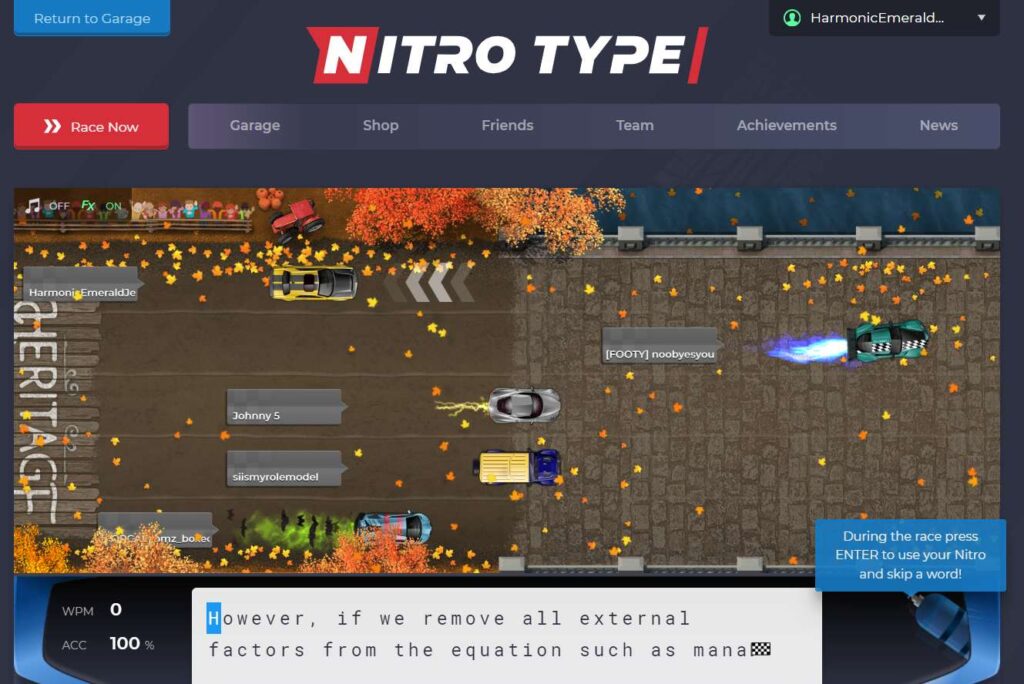
Nitro Type is not just a free racing game but also an educational app. Nitro Type is specially programmed for children to improve keyboard typing skills in a fun and effective way. With an online interface and integrated educational features, Nitro Type not only provides an exciting racing experience but also helps children develop better keyboard typing skills.
5 typing software for children
Natural keyboard typing learning: Nitro Type combines entertainment and education, helping children improve keyboard typing skills naturally and enjoyably.
Creative keyboard typing learning features: With learning features like progress tracking and viewing accurate typing scores, children can track and improve their typing skills every day.
Learning keyboard typing through racing games: Racing in Nitro Type is not just about winning but also an opportunity to develop and boost typing speed.
Active and safe community: Children can join the global racing community safely, meet and compete with same-aged opponents.
Touch Typing is keyboard typing training software for children aged 6 and older. This software has an intuitive, easy-to-understand, and easy-to-use interface, making it easy for children to access and learn. Touch Typing provides keyboard typing lessons at various levels, from basic to advanced. Additionally, the software includes various games to make learning fun and effective.

5 typing software for children
Level-based keyboard typing lessons: Touch Typing offers keyboard typing lessons from basic to advanced, suitable for all skill levels. Besides different levels, Touch Typing also has interactive games to stimulate children's learning enthusiasm.
Stimulating thinking skills and focus: With a visual, clear, and clean interface, children can easily understand what they need to do. It helps children focus on controlling their fingers while typing.
Typing.com is a free typing training website for all ages. This software provides keyboard typing lessons at various levels, from basic to advanced. Additionally, Typing.com has many training games to help children learn keyboard typing in a fun and effective way.

5 typing software for children
Level-based keyboard typing lessons: Typing.com provides keyboard typing lessons from basic to advanced, suitable for learners of all skill levels. The lessons are designed in a game format, making it easy for learners to understand and remember.
Interactive training games: Typing.com offers various interactive games to make keyboard typing learning enjoyable and effective. These games are designed with different levels to match learners' skill levels.
Learning progress tracking: Typing.com helps learners track their learning progress, allowing them to adjust their study plans accordingly.